Free Web-Based Image Editing With Phixr
I love Web-based tools and I am sure most of you feel the same... as long as the Internet connection is fast enough of course! Sure standalone applications are still very popular but I think things could change. Just take a look at Phixr for example!
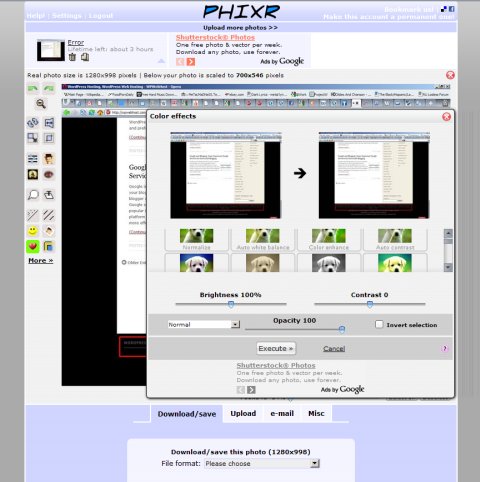
Using the old school approach you should download a picture process it and then upload it to some server right? This is the scenario I have in mind and here's how can you do it with Phixr - edit the image straight from its online location and then upload it from this tool's page right to ImageShack Facebook Picasa and so on. If this is not simple then I'll go jump off my balcony (I live on the 4th floor by the way)! ;)
I really enjoyed using this tool especially since it works great in both Opera and Google Chrome and its collection of features is pretty rich including color effects image adjustments red eye removal frames speech bubbles as well as various filters (oil painting magic halo emboss pop art).
At last I should add that Phixr can save your work as JPEG PNG PDF and GIF. Oh yeah and you can even turn your photo into a personal gift but that - and the remaining goodies - will remain for you to discover... Enjoy!
Previous: PicPick, More Than Just Screen Capture