Google Desktop Tools
I think we're headed to a world where Google reigns supreme despite the fact its services are far from being perfect but - to be really honest - I wouldn't mind that. After all I am not the one feeling it would be better to have a Google global monopoly instead of a Microsoft one... but let's leave these aside and tackle a subject that's more interesting namely using Google's Web-based services as Google desktop tools...
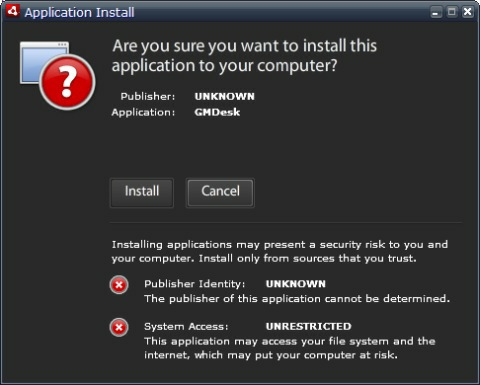
Just think about this - until now you needed a Web browser to load Gmail Picasa or Google Docs but things have changed and with the help of a little tool called GMDesk you can forget about Firefox Internet Explorer Opera and so on - all you have to do is to fire up this little piece of code and you'll get access only to the Web resource you need!
GMDesk is a program built using the Adobe Air platform and I must confess it was a pleasure to use it (don't be scared when you see that "Publisher: UNKNOWN" warning all right?). Basically it's all about having the Google app of your choice loaded into its own window and the best part of this is that you can switch between Gmail Calendar Docs Maps Reader and Picasa Web Albums by simply pressing Ctrl+1..6. Sure you can also click a single link in a Web browser to open them but what I hate about doing it that way is the fact you'll end up with a new tab open. I guess I'm not the only one...
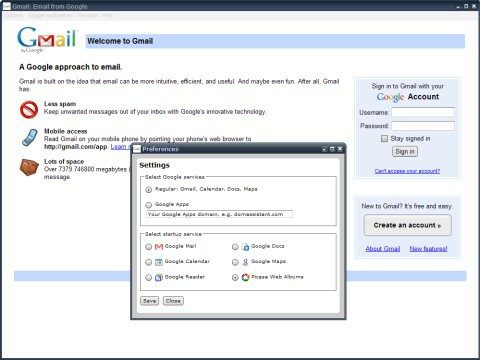
What I don't like about GMDesk is the amount of memory it uses - over 100 MB in my case (running it on Windows XP Professional SP3 with 2 GB of memory) but since I can't test it on multiple platforms at this time I'll wait for your feedback on this matter. After all it wouldn't be the first time to see a program with a behavior that's really closely related to the platform it's being run on...
Drawing the line I really love GMDesk and this one will surely go down in my "little free useful apps" collection. If you're one of those whose time online means using some Google app (about 85% let's say) 10% - waiting for the pages to load and 5% - checking various sites then I am sure GMDesk will help you save a lot of time and probably even some battery life for those using GMDesk on the road (it's just a guess but I am sure that GMDesk will spin your hard drive less than a regular browser usually does).
Previous: Smart Web Search With Goby