Rapidshare Alternative Of the Week - Upload Robots
If you want to share a bunch of small files and help the people who should get them to avoid annoying ads and captchas Upload Robots is one pretty good choice and since it's also freely available - if you don't need those premium features of course - I am sure most of you will enjoy this week's RapidShare alternative so... let's get to it shall we? ;)
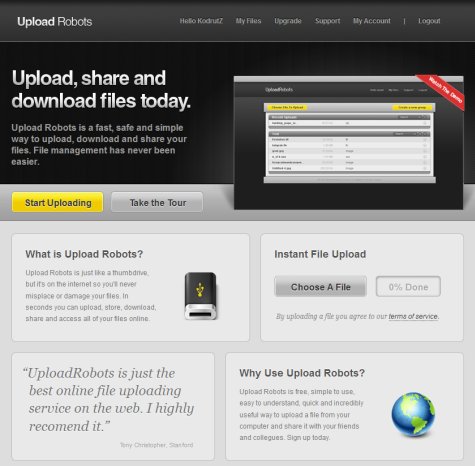
In case you're looking to upload huge files then you should look elsewhere because Upload Robots is not one of those services that allow free users to upload files as large as 1 or even 2 GB. Even worse you can't even upload a single bit without creating a free account so why bother with Upload Robots? The answers come with the set of features available to free users: up to 4 GB of space despite that tiny 10 MB per file size limit your files will remain on the servers forever there are no ads to be seen the file manager allows you to preview multimedia files and as long as you don't exceed the 4 GB limit there's no maximum number of allowed files to be worried of. Awesome!
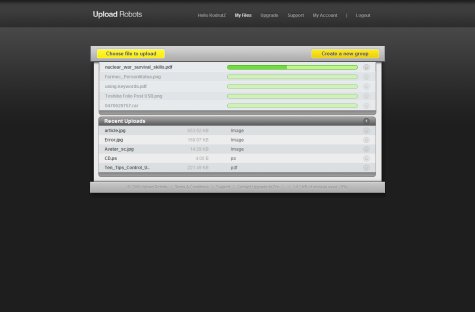
As a premium user you'll get 120 GB/year of storage and a maximum file size of 250 MB SSL encrypted connection to server custom subdomains/URLs group sharing even better speed... pure awesomeness to cut it all in just two words pure awesomeness!!!
Speaking about my own experience with Upload Robots I must say that I really love it - upload speed is very good you can add multiple files to the queue and then forget about it (almost) everything about this service deserves 5/5 stars so I guess that's all for today - be sure to stay safe no matter what you do and obviously have a great weekend - I know I will! ;)