Split Screen
A few years ago when I discovered Maxthon I was really amazed by its ability to keep two sites opened at the same time in a split screen mode and copy-paste data from one to another simply by selecting dragging and dropping what needed to be moved around. Now I must say it was simply great to discover the Google Chrome extension simply called Split Screen a few hours ago so here we are...
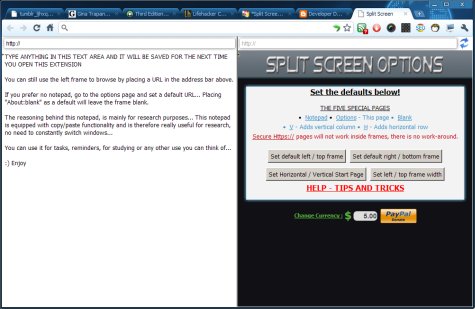
... Split Screen developed by a certain Developer Dave looks really solid despite the fact it doesn't come surrounded by any impressive numbers: current version is 0.8.44 released on the 24th of May while the rating Split Screen has as I write this is 3.94/5 stars after 17 user reviews and only 3107 downloads. If you ask me I think Split Screen is a bit underrated and it surely didn't receive the attention it deserves so far. Well we can only hope that will change in the future - after all there are plenty of goodies in this package not simply the ability to browse two pages side by side right?
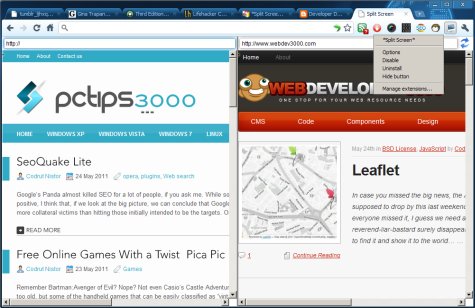
While some may complain about the fact that Split Screen can't load secure HTTP pages here's what should make you take this Google Chrome extension for a spin: built-in notepad tool click and drag bookmarks into the URL fields auto complete works great in full screen mode doesn't cost a single cent... so I guess that's more than enough - if you ever considered side-by-side browsing to be something that helps spare some of that precious time you have you definitely need to take a closer look at Split Screen - as I write this I don't think you can get anything better for Google Chrome and the given task. That's all folks!