Windows Sysinternals
Being a really big fish in the IT ocean it's no surprise to see Microsoft eating some small ones from time to time but I wasn't really expecting to see Sysinternals being purchased by the Redmond giant. Fortunately they kept the software suite alive only killing a little part of it despite the fact I was almost sure they would bury it.
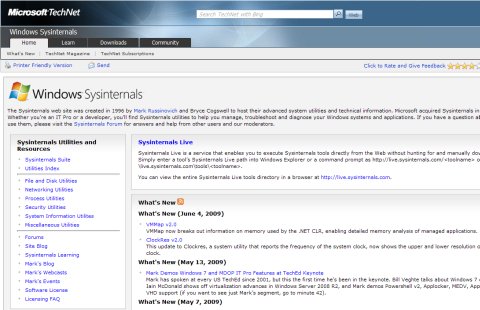
Now all you need to keep at hand to be a Windows power user is located on Microsoft.com all over the Windows Sysinternals page. The utilities and resources on this page include file and disk tools process and security utilities as well as networking system information and various other tools the "Top 10 Downloads" section saying it all.
... since my all-time favorite Process Explorer has the first place. This is the spearhead of all Sysinternals programs providing a unique insight into the way Windows and all your applications work. If they would only replace the Task Manager with this one that would really be great. Unfortunately it seems it won't happen in Windows 7 so let's hope that won't be the last Windows version ever...
Other than that we have a very useful Process Monitor an advanced rootkit detection utility known as RootkitRevealer a funny BlueScreen Screen Saver and some more tools that shouldn't be missed by beginners and power users alike.
While I can't say I am crazy about web-based services Sysinternals Live is really a useful one. As Microsoft describes it "Sysinternals Live is a service that enables you to execute Sysinternals tools directly from the Web without hunting for and manually downloading them." Can you ask for more?
To use a tool from the Sysinternals Suite via the Web "Simply enter a tool’s Sysinternals Live path into Windows Explorer or a command prompt as http://live.sysinternals.com/ or \live.sysinternals.comtools."
I probably shouldn't quote that much off Microsoft.com but this is one of those few times when I really appreciate their way of explaining things. On the other hand that never happens when I look at some Windows Help section (when you want to find out about some Windows problem just don't use the Help system coming with the OS be sure to remember that if you didn't knew it already!).
These being said I guess we should end it here. I know I know - we could be talking for hours and hours about Windows Sysinternals but best way to get to know this software power package is to use it and since Microsoft was so kind to keep it as a freely available resource... be sure to take full advantage of it! I have shown you the way now it's your turn to follow it. Good luck! ;)
Previous: How To Delete Locked Files In Windows