Your Maps & Online Office
I don't know how you handle your daily office tasks but I surely left Microsoft Office and OpenOffice.org behind some time ago. Why that? Well nothing really bad to say about them only that the Web-based office suite is the way of the future and since Google Docs is already notorious I wanted something new... and Peepel is more than "just something new" because I think it's even better than Google Docs at least from a few points of view!
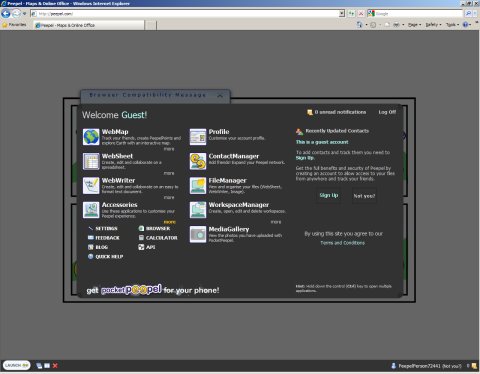
To run this suite you only have to go to this page and pick one of the available tools - WebMap WebSheet WebWriter Accessories Profile Contact Manager FileManager WorkspaceManager MediaGallery. Since you can do that without creating an account there's nothing stopping you from trying out this excellent online office suite only...
... only these strange compatibility issues I noticed because I wasn't able to do anything in Opera while Google Chrome and Internet Explorer 8 also displayed a warning regarding this but the applications seem to run fine in both of them at least for the few minutes I spent so far using the WebWriter tool.
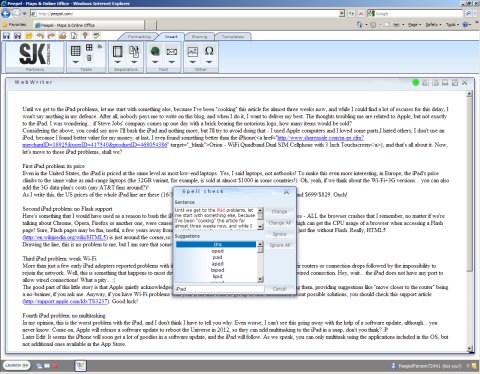
Since I mentioned the WebWriter (see picture above) let me tell you that you can export your work using the format of your choice both Microsoft Office Word and OpenOffice.org Writer files being available for that purpose. One last thing you should know about this excellent online tool is that at least in my opinion there's more eye candy than you can get from Google Docs... not to mention this is also a free service and login is possible using your OpenID!
That's all folks I'd like to stay here and tell you all there is to know about Peeps but I don't want to ruin your fun. Go ahead and give it a try this awesome suite is only one click away! ;)
Previous: Free Web-Based Image Editing With Phixr